Create, Design & Publish Your First Book on Amazon KDP.
KDP Studio helps beginners create book content, design professional book covers, format manuscripts, build KDP listings, and prepare paperback books and Kindle eBooks for Amazon Kindle Direct Publishing.
No experience required. Beginner-friendly. Built for Amazon KDP authors and self-publishers.
Just $5.99 / month · No free trial · Cancel anytime
Watch How KDP Studio Helps You Create Your First Book
Follow this beginner-friendly Amazon KDP tutorial to see how KDP Studio helps you create book content, design a professional cover, format your manuscript, build your KDP listing, and prepare your book for Kindle Direct Publishing.
Publishing Your First Book on Amazon KDP Can Feel Overwhelming
Most beginners get stuck before their book is ever published. You have to figure out how to create the book content, design a professional cover, format the manuscript to the right trim size, pick the right KDP keywords and categories, write a compelling description, and upload everything to Kindle Direct Publishing without it getting rejected.
KDP Studio takes the guesswork out. We give you a guided, beginner-friendly workflow that walks you from your first book idea to publish-ready files — so you can finally focus on creating the book instead of fighting with the process.
Everything You Need to Prepare Your Book for Amazon KDP
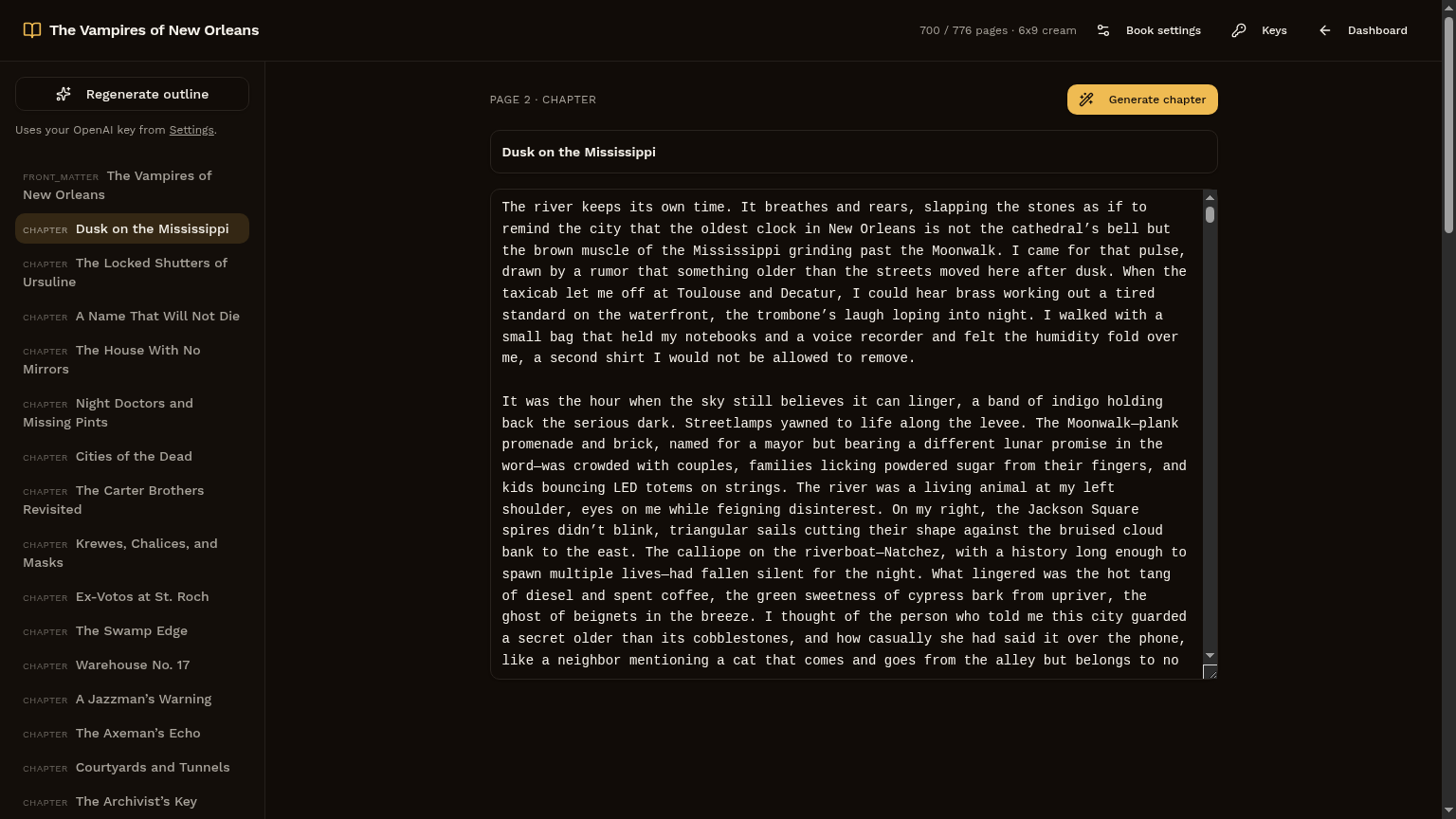
KDP Studio is one beginner-friendly platform for creating every type of book you can publish on Amazon KDP — and preparing it for your own Kindle Direct Publishing account.
One Platform for KDP Book Creation
Everything you need to create, design, format, and publish your book on Amazon KDP.
Create Book Content
Build organized book content for nonfiction books, journals, notebooks, activity books, children's books, and AI-assisted books.
Design Professional Book Covers
Create clean, professional book covers for paperback books, Kindle eBooks, journals, notebooks, and low-content books.
Format Manuscripts
Format your manuscript so your book looks clean, organized, and ready to upload to Amazon KDP.
Build KDP Listings
Create stronger Amazon KDP listings with book titles, descriptions, KDP keywords, and KDP categories.
Publish Paperback Books and eBooks
Prepare paperback books and Kindle eBooks so they're ready to upload to Kindle Direct Publishing.
Beginner-Friendly Training
Step-by-step training for people with no publishing, writing, formatting, or design experience.
How KDP Studio Works
A simple, six-step path from idea to a book ready for Kindle Direct Publishing.
Choose Your Book Type
Pick from paperback books, Kindle eBooks, journals, notebooks, low-content books, nonfiction books, children's books, or AI-assisted books.
Create Your Book Content
Use KDP Studio to help create organized, reader-friendly book content.
Design Your Book Cover
Create a professional book cover that fits your book type and Amazon KDP publishing goals.
Format Your Manuscript
Prepare your manuscript so it looks clean, professional, and ready for upload.
Create Your KDP Listing
Build your book title, description, KDP keywords, and KDP categories for your Amazon KDP listing.
Publish on Amazon KDP
Upload your files to Kindle Direct Publishing and publish your first book through your own Amazon KDP account.
Who KDP Studio Is For
Built for beginners and self-publishers ready to put their first book on Amazon.
Why Use KDP Studio?
- Beginner-friendly platform
- No publishing experience required
- Create paperback books and Kindle eBooks
- Design professional book covers
- Format manuscripts for Amazon KDP
- Create low-content books, journals, and notebooks
- Build better KDP listings
- Choose better KDP keywords and categories
- Learn step by step with the tutorial video
- Save time creating books
- Prepare your book for your own Amazon KDP account
- Simple $5.99/month pricing · cancel anytime
Every KDP size your manuscript and cover can become.
Switch trim or binding once — the manuscript reflows, the cover spine recalculates, the bleed re-flows. No re-import.
Start Creating Books Today
Just $5.99/month. Start creating books, eBooks, book covers, manuscripts, and Amazon KDP listings from one beginner-friendly platform.
No free trial · cancel anytime
No experience required · Start building your Amazon KDP publishing workflow today
- Create book content for every KDP book type
- Design professional book covers
- Format manuscripts for Amazon KDP
- Build KDP listings, keywords & categories
- Print-ready interior PDF & validated Kindle EPUB
- All KDP trim sizes · paperback & hardcover
- Beginner-friendly tutorial & step-by-step training
- Unlimited projects · cancel anytime